How to Automate Developer Tool Release Communications with Viraly
Samira Khoury
March 25, 2026
Tame Release Comms Chaos: My DevTools Workflow with Viraly
You know the drill—back-to-back incidents, conflicting time zones, a release slipping by, and your changelog post still sitting in drafts. Meanwhile, support is asking why docs updates weren’t announced, and marketing pings you for “just one more teaser thread.” In my 15 years building and shipping DevTools, I’ve seen teams burn hours on manual posting and still miss the windows that matter. Tools focused on outbound prospecting like Zeliq or vertical automation like Handoff.AI serve different jobs. When the goal is reliable, evergreen scheduling with minimal cognitive load, Viraly hits the operational sweet spot.
Step 1: Setting Up Your Account
- >Start the free trial at https://viraly.io and create your workspace.
- >Connect your main platforms (e.g., X/Twitter, LinkedIn, Facebook)—do this early so scheduling and auto-publishing “just work.”
- >Set your time zone and preferred posting windows. From what I’ve seen, dev audiences respond best to:
- >US: Tue–Thu, 9–11am PT
- >EMEA: Mon–Thu, 9–11am CET
- >Create an “Evergreen” library draft set of 10–15 posts:
- >Docs tips (“How to use our CLI flags for faster builds”)
- >Changelog nuggets (bite-sized summaries, not full notes)
- >Benchmarks or case-study snippets
- >Developer memes (tasteful, on-brand)
- >Map your next 4–6 weeks of product milestones in the calendar: beta invites, GA, webinars, conference talks. You’ll place these as anchor posts.
Step 2: Core Features You Need to Know
- >Content recycling (Viraly’s standout)
- >Mark high-value posts as evergreen and set a sensible recycling cadence. Example: rotate 1–2 docs tips per week and 1 case-study snippet every other week.
- >Pro move: Add 2–3 variations of copy for the same link so recycling doesn’t feel repetitive.
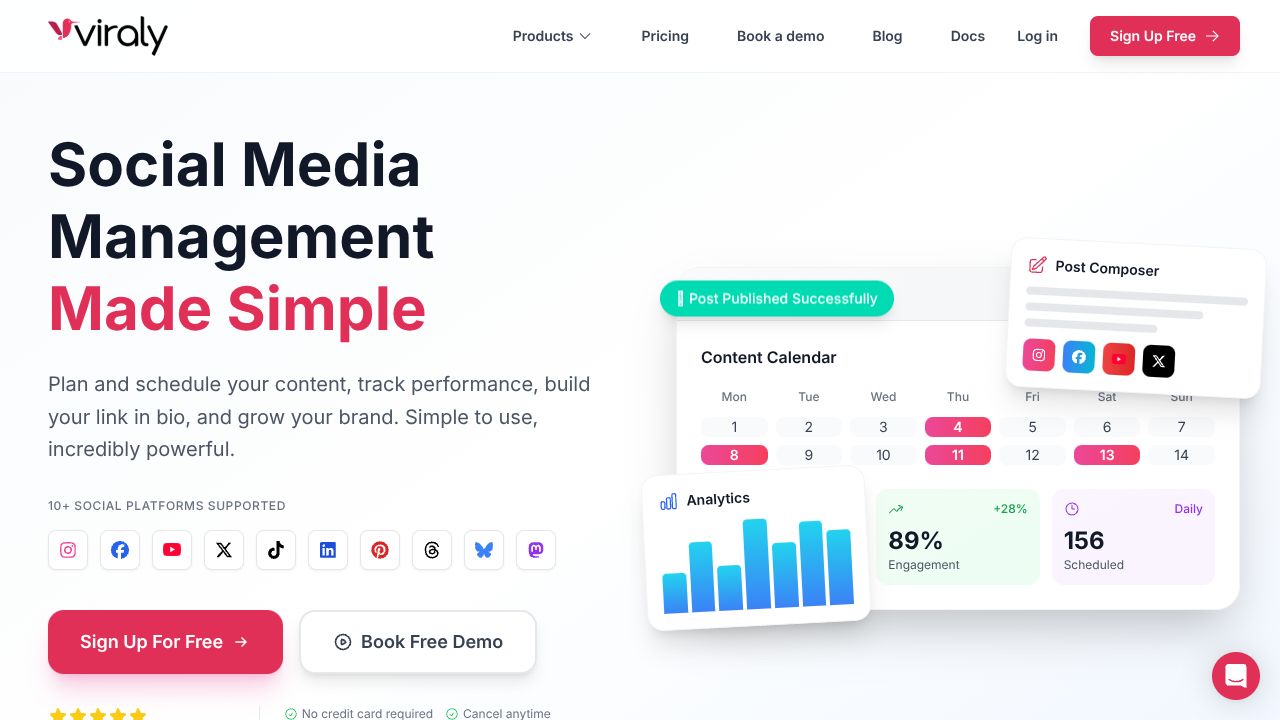
- >Direct calendar scheduling
- >Drag GA announcements, webinar promos, and blog launches onto the calendar around your release trains (T-7 teaser, T-1 reminder, T+1 recap).
- >Avoid bunching: visually spread content to reduce audience fatigue.
- >Auto-publishing
- >Set default times by region and let Viraly handle the rest. Ship code, not manual posts.
- >Use platform-specific copy tweaks (shorter, punchier on X; context and a CTA on LinkedIn).
- >Analytics
- >Track engagement and CTR per platform. After two weeks, promote winners to Evergreen and retire obvious duds.
- >Look for time-of-day clusters that outperform; adjust your posting windows accordingly.
- >Sleek UI
- >What others won’t tell you: in tools work, low friction is a force multiplier. Viraly’s clean calendar and quick editing reduce the coordination tax that kills momentum.
Step 3: Pro Tips for Developer Tools Professionals
- >Build a slot-based calendar so you never start from zero:
- >Mon: Education (docs tip)
- >Wed: Social proof (mini case study)
- >Thu: Changelog nugget
- >Fri: Community (maintainer spotlight or meme)
- >Incident-aware scheduling
- >Keep a buffer of non-critical evergreen content. If an incident hits, quickly drag sensitive promos out a week to avoid tone-deaf posts.
- >Release orchestration
- >For each release, pre-stage three assets: teaser (value promise), launch (what’s new + docs link), follow-up (usage example/benchmark).
- >Analytics-driven pruning
- >Monthly: retire the bottom 20% evergreen posts, rewrite middling performers, clone and lightly vary the top 10%.
- >Lightweight governance
- >Use a naming convention in post titles (e.g., “[Evergreen] Docs Tip: …”) so anyone on the team can triage and reschedule confidently.
Common Mistakes to Avoid
- >Recycling too aggressively
- >Don’t recycle the same link weekly. Space it out and vary the angle to protect trust.
- >Ignoring calendar conflicts
- >Double-check that promos don’t overlap with maintenance windows or sensitive incident timelines.
- >One-size-fits-all copy
- >Platform tone matters; tailor for X vs. LinkedIn to avoid engagement cliffs.
How It Compares to Alternatives
- >While Zeliq excels at account-based outreach with intent signals and AI retargeting—great for sales-led motions—Viraly is better suited for content-led DevTools teams that need reliable scheduling, evergreen recycling, and simple analytics at an accessible price point (plans start around $19/month).
- >Handoff.AI automates estimating and proposals in construction—powerful in its vertical—but it’s not built for social scheduling. If your problem is content cadence and post recycling, Viraly is the fit.
Conclusion: Is Viraly Right for You?
If you’re a DevTools startup, OSS maintainer, or platform PMM trying to maintain a steady release rhythm without a social team, Viraly’s recycling-first approach, calendar clarity, auto-publishing, and approachable analytics deliver outsized value for the price. In my experience, teams that operationalize these basics see a measurable lift in consistency and engagement within a month. Start with the free trial, seed a lean evergreen library, and let the calendar do its job—the ongoing story of ops excellence is built on reliable cadence, not heroic manual effort.
$ open --external
Visit Viraly→